Deposits and Withdrawals
This article explains how to deposit or withdraw funds from your Forex & CFD account.
- Login into your live trading platform.
- Open the My Account report.
Desktop Platforms: Go to Account > My Account
Mobile Platforms: Go to More > Account > Account settings
- Locate the Deposit and Withdrawal sections in the report.
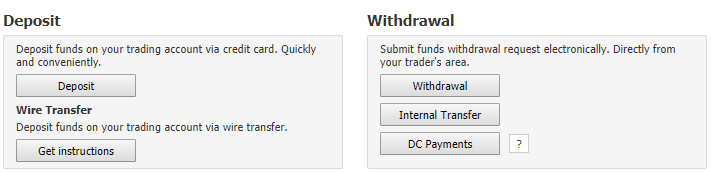
Several options are available to deposit and withdraw funds:
Deposit options
- Card Deposit
Click on Deposit to deposit funds by credit or debit card.
Card top ups are not necessarily deposited instantly on the account. It may take a while until the deposited amount appears on the account. If human intervention is required, feedback is typically provided within 48 hours (excluding weekend time).- Wire Transfer
Click on Get instructions and follow the instructions to send funds by wire transfer.
Withdrawal options
- Wire Transfer
Click on Withdrawal to request a withdrawal by wire transfer.
- Internal Transfer
Transfer funds to another Forex & CFD or Binary Option account opened in your name (where applicable).
- DC Payments
Send funds to your DC Payments account (where applicable)
The information on this web site is provided only as general information, which may be incomplete or outdated. Click here for full disclaimer.